
Government surveillance doesn’t always need a warrant. They can just buy the data.
Instead of asking a judge for permission to track someone, government agencies are increasingly buying data meant for targeting advertising in the mobile-app economy. 404 Media recently reported that ICE bought access to data from a company called “PenLink” that sells products called Tangles (used for social media monitoring), and Webloc (used for searching location information). The materials described sound like a “dragnet search” for phones: draw a shape over a neighborhood, pick a time window, and the tool tells you what devices were there. Then, government analysts follow where those devices go next to determine where the individual lives and works. This isn’t sci-fi. It’s how the government is repurposing scary mobile advertising tools that follow you.
Doesn’t the Government Need a Warrant?

The Supreme Court has held that police generally need a warrant to obtain historical cell-site location information (CSLI) from cellular carriers. The Court recognized how location histories enable “near perfect surveillance.” (Carpenter v. United States) But some government agencies have argued (and documents obtained via FOIA have explored) that commercially available location data is different because it is “voluntarily disclosed” to third parties. Civil liberties groups say that’s a loophole big enough to drive a surveillance van through.
How the data gets collected

Mobile Apps
Most of the apps on your phone include code that collects information about you and your activities, including your location. The apps make money by sharing that information with “partners.” It’s amazing how far that data can travel and be resold.
Advertising-tech real-time bidding
In the online advertising ecosystem, information about you on your device gets sold within milliseconds so advertisers can target you. Part of the data shared is your location and information about you that can be captured and reused beyond “just ads.” Reuters reported that the FTC has explicitly criticized this kind of data collection and sale because of how revealing it is.
Why this is scary (even if you’ve done nothing wrong)

This isn’t about hiding or having nothing to hide, but how your ordinary life becomes a potentially dangerous surveillance tool:
- Mass suspicion: Tools that start with “everyone in this area” invert the presumption of innocence.
- Your routine makes you easy to identify: You don’t need your name attached if a device goes from a specific home address to a specific workplace every day. It’s easy to figure out where the person that owns that device lives and works.
- Chilling effects: If people know their movements can be bought and analyzed, they self-censor where they go, such as protests, medical clinics, places of worship, support groups, and labor meetings.
- Abuse and mismanagement of personal information: The Department of Homeland Security (DHS) Office of Inspector General has even admitted that it’s own organization (including ICE and CBP) didn’t adhere to privacy policies or develop sufficient safeguards before buying and using commercial telemetry data.
In December 2024, the FTC announced settlements that barred or restricted data brokers tied to sensitive location tracking, including Gravy Analytics / Venntel and Mobilewalla, because sensitive location data can reveal highly personal attributes and visits to sensitive places.
Protect Yourself: A Step-by-step guide

You can’t make yourself “invisible” to every form of surveillance, but you can drastically reduce your exposure to the commercial datasets that the government may be using.
Step 1: Shut down ad tracking on your mobile phone (high impact)
Most of the tracking is enabled by your mobile advertising ID (called IDFA on iOS, and an AAID/GAID on Android). To turn this off:
On iPhone (iOS):
-
- Go to Settings → Privacy & Security → Tracking
- Turn off “Allow Apps to Request to Track”
- (Optional) Review the list of apps on this page and ensure nothing is allowed to track you
On Android:
-
- Go to Settings → Privacy (or Google) → Ads
- Choose Delete or Reset your Advertising ID (the wording varies by Android version)
Note: Once you delete/disable the advertising ID, some opt-out forms may no longer be able to match your historical record. If you plan to submit broker opt-outs (next steps), capture the ID first.
 Step 2: Make your location permissions stingy (high impact)
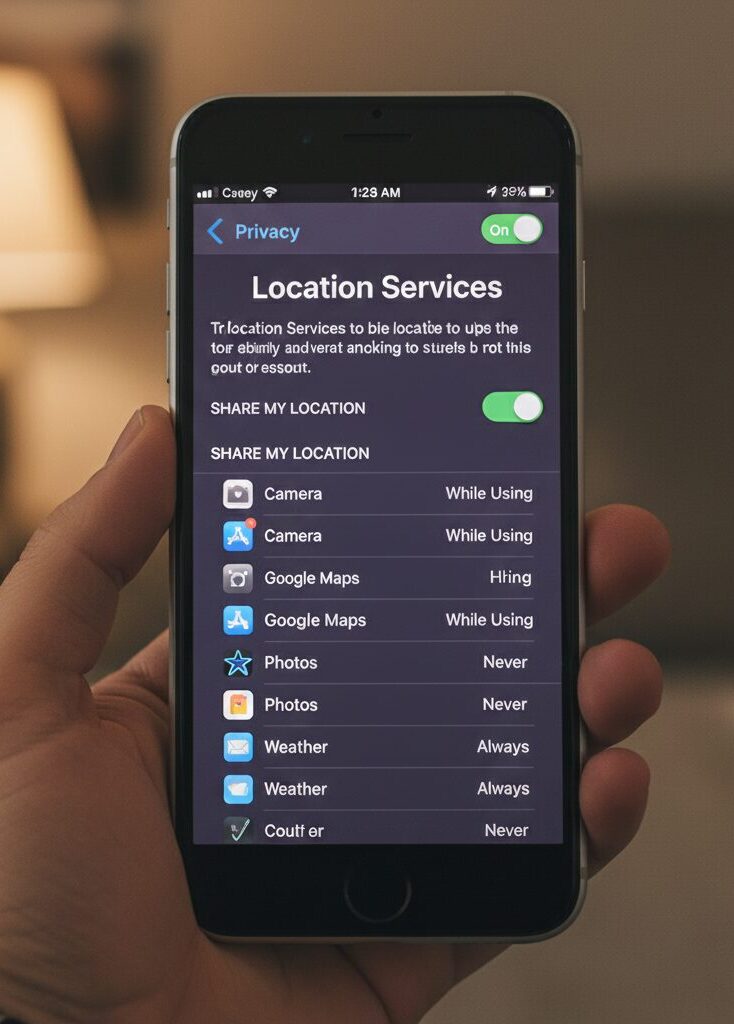
Go for no background location sharing unless an app absolutely must have it.
- Go through your mobile apps one by one.
- Set Location access to:
- Never, or
- While Using the App (not “Always”)
- Turn off Precise Location for apps that don’t need it.
Then look for “always-on” offenders (weather, retail, games, flashlight/utility apps). If they don’t need location information, uninstall them.
Step 3: Reduce “ambient” location signals (medium impact)
Even without GPS, devices leak signals and information about your location, including:
- Wi-Fi scanning and saved networks
- Bluetooth beacons in venues and stores
- “Nearby” services that infer where you are
When you’re not using Wi-Fi or Bluetooth, turn them off. It’s low effort, and it reduces passive signal collection.
Step 4: Opt out of the most notorious brokers (high impact, but annoying)
Opt-outs matter because they attack the dataset at the broker, especially when the broker itself is what feeds government-accessible information. Below are some of the most notable data brokers that have sold information to the government. Each has an opt-out/deletion process that generally requires your Advertising ID. Note: if you’ve turned off tracking on iOS, you may no longer have an Advertising ID that’s being shared.
Whether you use a web form or email, keep it simple and explicit:
- “I am requesting deletion of any personal data and any data linked to my mobile advertising ID.”
- “Please confirm whether you have data linked to this ID, and confirm deletion/suppression.”
- “Please confirm you will not re-ingest data linked to this identifier going forward.”
PenLink (Tangles and Webloc ecosystem) privacy policy states that to opt out of disclosure of personal or advertising ID data, you send a request and provide your name, email, and relevant identifiers so they can locate associated data.
-
- Submit the request via email (info@penlink.com) or their contact form
- Provide provide your name, email address and related Advertising ID / Identifier for Advertisers (IDFA), so the company can find any associated data and communicate with you about your request for confirmation of deletion or suppression of information.
Gravy Analytics opt-out page requests name, email, and Mobile Advertising ID.
-
- Submit the opt-out/do-not-sell form with your MAID
- Ask explicitly for deletion where available
Outlogic (successor associated with X-Mode) opt-out page states it needs your device ID (Advertising ID or Installation ID) to process opt-outs. The FTC has also pursued action related to X-Mode/Outlogic’s handling of sensitive location data.
-
- Provide the Advertising ID / Installation ID requested
- Request opt-out and deletion/suppression
Mobilewalla’s global opt-out page requires your email address plus a Mobile Advertising ID (MAID) and states it can’t process your request without a valid MAID. Mobilewalla was also named in FTC actions regarding sensitive location data.
-
- Submit the global opt-out request with MAID
- Keep the receipt/confirmation
Step 5: If you’re in California, use the state’s “one-to-many” tool (massive time saver)
California recently launched a tool called DROP (Delete Request and Opt-Out Platform) that lets residents send deletion/opt-out requests to a large set of registered data brokers under the state’s Delete Act. If you’re eligible, it can replace a lot of manual whack-a-mole.
Step 6: Consider subscription services that can do the broker removals for you
Manual opt-outs are doable for a handful of high-impact brokers, but there are hundreds of data brokers and people-search sites. Paid services help because they scan many sites, submit requests repeatedly, and monitor for re-listing (because your info tends to come back). Here are credible options, with what they’re good at:
Incogni (The Automator)
Incogni, owned by Surfshark, is built for efficiency. It uses legal frameworks (like GDPR and CCPA) to send waves of automated requests. It is particularly strong at tackling “private” marketing brokers that don’t have public-facing search pages. Its suppression list feature is a standout, actively telling brokers not to re-add you once you’ve been removed.
Optery (The Evidence-Seeker)
Optery is widely considered the most transparent. Even their free tier is useful because it provides an “Exposure Report” showing you exactly where you are listed. At higher tiers, they use a “Humans + Machines” approach. The inclusion of before-and-after screenshots is their “killer feature,” giving you visual proof that a listing is truly gone.
PrivacyHawk (The Corporate Footprint Specialist)
PrivacyHawk goes beyond standard data brokers by targeting the corporate databases of thousands of companies you’ve interacted with (retailers, apps, etc.). By scanning your inbox (with permission), it identifies which companies have your data and sends automated “Delete” or “Do Not Sell” requests to reduce your risk in future data breaches. It also features a “Privacy Score” (300-850) that tracks your progress, similar to a credit score.
DeleteMe (The Human Touch)
As one of the oldest players, DeleteMe relies heavily on human privacy experts. While AI handles the bulk, people actually call or email brokers to ensure tricky removals are completed. It covers a vast number of sites (750+) and is excellent if you have a complex digital footprint that requires more than just an automated script.
OneRep (The Family Value)
OneRep is built for “set-it-and-forget-it” users. It focuses heavily on the most visible “People Search” sites (like WhitePages or Spokeo). Its dashboard is very user-friendly, and it offers one of the most affordable family plans, covering up to six people for a lower price point than many premium competitors.
A practical 30-minute action plan
If you want the biggest privacy win without turning your life into a compliance project:
- Disable ad tracking (iOS Tracking OFF / Android delete ad ID)
- Audit location permissions (no “Always” unless truly necessary)
- Submit opt-out/delete requests to the sites above.
- Subscribe to a removal service for the long tail
- Recheck quarterly (or let the subscription service do it)
No responses yet