
Turning Tech Support Fraud into a High-Impact Enterprise Defense Lesson
As security awareness professionals, we spend a lot of time drilling employees on standard email vectors: spotting lookalike domains, reporting suspicious links, and scrutinizing MFA push notifications. Yet one of the most financially catastrophic and psychologically devastating threats facing both personal households and corporate environments completely sidesteps credential harvesting: remote access fraud. According to the FBI’s Internet Crime Complaint Center (IC3), tech support and remote access schemes drain more than $2 billion annually. While often dismissed in corporate circles as consumer fraud aimed strictly at retirees, the operational machinery behind these attacks poses a direct threat to enterprise perimeters, remote workforces, and executive targets. When workforce members understand how remote access scammers operate, they don’t just protect their personal bank accounts—they become immune to the very social engineering playbooks threat actors use to compromise enterprise networks.
The Infrastructure Problem: Why “Don’t Dial Unknown Numbers” Falls Short
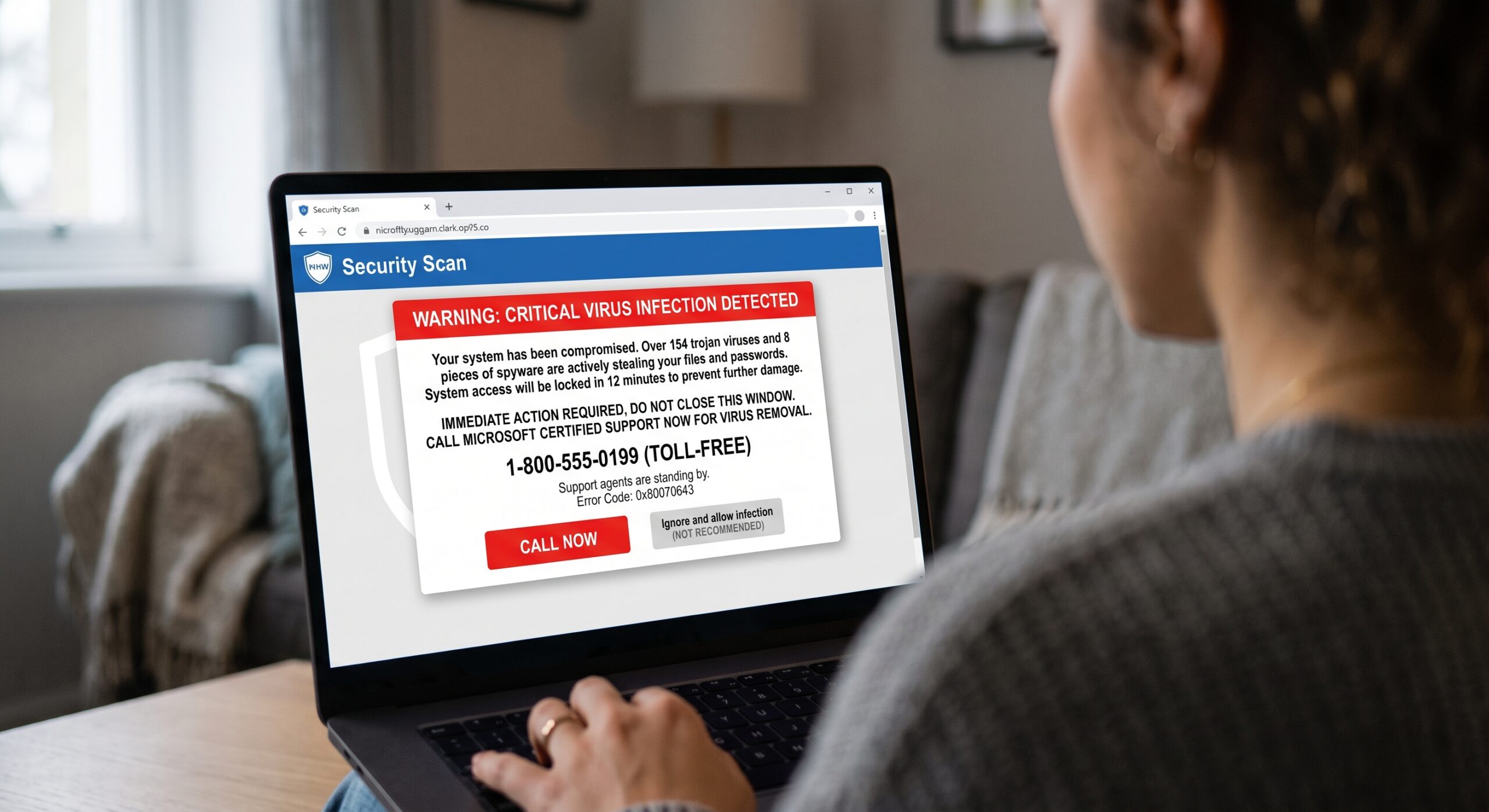
For years, security awareness guidance told users: “Don’t click links from strangers, and never call an unknown phone number.” Modern social engineering operations have rendered that advice dangerously obsolete. Attackers no longer rely exclusively on crude email blasts; they purchase sponsored search ads, deploy SEO poisoning, and weaponize enterprise telecommunications infrastructure. Federal court filings from the U.S. Department of Justice detailed a scheme where American executives at a legitimate telecommunications and call-tracking firm knowingly maintained VoIP and call-routing pipelines for overseas scam call centers. Victims didn’t click shady links—they typed “printer tech support” or “antivirus customer service” into search engines, called a verified domestic toll-free number, and were seamlessly patched into a criminal boiler room.
The Awareness Takeaway: We must train employees that inbound phone numbers displayed in sponsored search results, pop-up alerts, or unverified billing statements are untrusted by default. Employees must be conditioned to locate support numbers exclusively through internal company intranets, bookmark bars, or physically printed documentation.
The Dual-Use Weapon: Legitimate Administration Tools
Security awareness managers often assure workforces that endpoint detection and response (EDR) agents and managed antivirus protect company hardware. But remote access fraud weaponizes the exact software enterprise IT departments rely on daily:
-
AnyDesk
-
TeamViewer
-
Microsoft Quick Assist
-
LogMeIn / GoToAssist
-
Zoho Assist / UltraViewer
Because these binaries are digitally signed and legitimate, local endpoint defenses rarely generate alerts when they are launched. Once an employee is talked into entering a 6- or 9-digit session code, technical controls become irrelevant. The user has handed over keyboard, mouse, active session cookies, and local network visibility.
The Awareness Takeaway: Teach employees a clear rule of thumb: Legitimate vendors and internal IT teams will never demand the sudden installation of ad-hoc remote desktop software without a verifiable, pre-existing support ticket. Any unsolicited request to download remote software—regardless of who the caller claims to represent—is an immediate stop-work event.
Deconstructing the Screen Theater: The Illusion of Crisis
Once a threat actor gains remote access, they stage an elaborate technical performance designed to exploit an employee’s lack of operating system depth:
-
The Event Viewer Illusion: Scammers open Windows
Event Viewer, highlight standard background warnings or harmless dropped packets, and assert that every yellow triangle represents an active trojan or foreign compromise. -
Terminal Theater: The attacker runs basic command-line utilities like
treeornetstatto generate a rapid waterfall of scrolling text, then manually types “System Alert: 18 Foreign Breaches Active” directly into the command prompt. -
The Blackout Technique: Using built-in vendor features to black out the monitor under the guise of a “deep maintenance scan,” scammers quietly browse file directories for sensitive documents, export saved browser passwords, or manipulate browser balances via Inspect Element to stage fake financial emergencies.
These techniques don’t target technical ignorance; they induce cognitive overload. Flashing error warnings, ticking clocks, and aggressive authoritative pressure shut down critical thinking and trigger fight-or-flight compliance.
Building Workforce Resilience: Actionable Security Awareness and Training Program Updates
To translate remote access tactics into behavioral defense across your workforce, integrate these focal points into your upcoming awareness initiatives:
-
Train the “Physical Pull” Containment Drill: If an employee realizes mid-session that a remote technician is suspicious, they shouldn’t waste time looking for an “End Session” button inside the software. Train them to physically disconnect the network (pull the Ethernet cable or flip the Wi-Fi toggle) and perform a hard shutdown using the power button.
-
Bridge Personal and Corporate Habits: Employees who fall for fake Geek Squad or Norton auto-renewal invoices on personal laptops often carry those vulnerabilities over to company-issued equipment. Teaching personal cyber hygiene, such as recognizing fake refund scams and never accessing online banking during screen sharing, builds everyday security muscle memory that protects enterprise assets.
-
Remove the Stigma of Reporting: Psychological manipulation relies on fear and embarrassment. Ensure your program explicitly highlights that tech support scammers use professional, scripted psychological pressure. Employees must know that reporting an accidental remote connection immediately to internal security will be met with rapid support, not disciplinary humiliation.
|
|
For the complete story and tips, read the full article here: |
No responses yet